On Shopify you have two ways to add UndoPortal: install the embedded app (nothing to paste), or embed the hosted form on a page. Both are compliant — pick whichever fits your setup.
Option A: Install the Shopify app (recommended)
This is the fastest route — no code to touch.
1. Start the install
Open the UndoPortal listing and click Start free, then approve the Shopify install. This is standard Shopify OAuth — you're not editing any theme files.
2. Set up your store in the wizard
A short wizard walks you through it: pick your branding colours and the languages you sell in. Your withdrawal form is built for you automatically.
3. Add the entry point to your storefront
In your theme editor, add the UndoPortal theme app block wherever you want the withdrawal button — typically the footer and your returns page. Save and publish.
That's roughly 5 minutes, and the confirmation email plus audit trail are included out of the box.
Option B: Embed the hosted form
Prefer not to install an app? You can paste the hosted form onto a page instead.
1. Create your account
Go to admin.undoportal.com and create a free account.
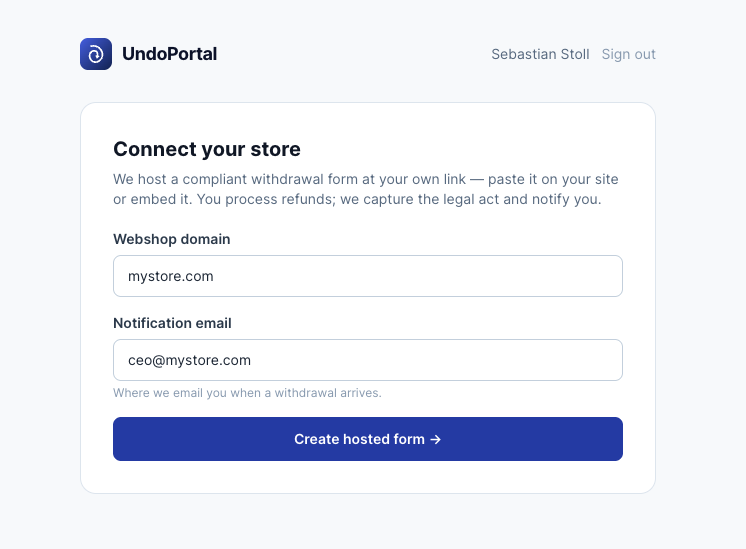
2. Set up your store and copy the snippet
Fill in your store domain and notification email, choose Shopify, then click Copy embed to copy the form snippet.
3. Create a new page in Shopify
In your Shopify admin go to Online Store → Pages → Add page. Give it a name such as "Withdraw from your order".
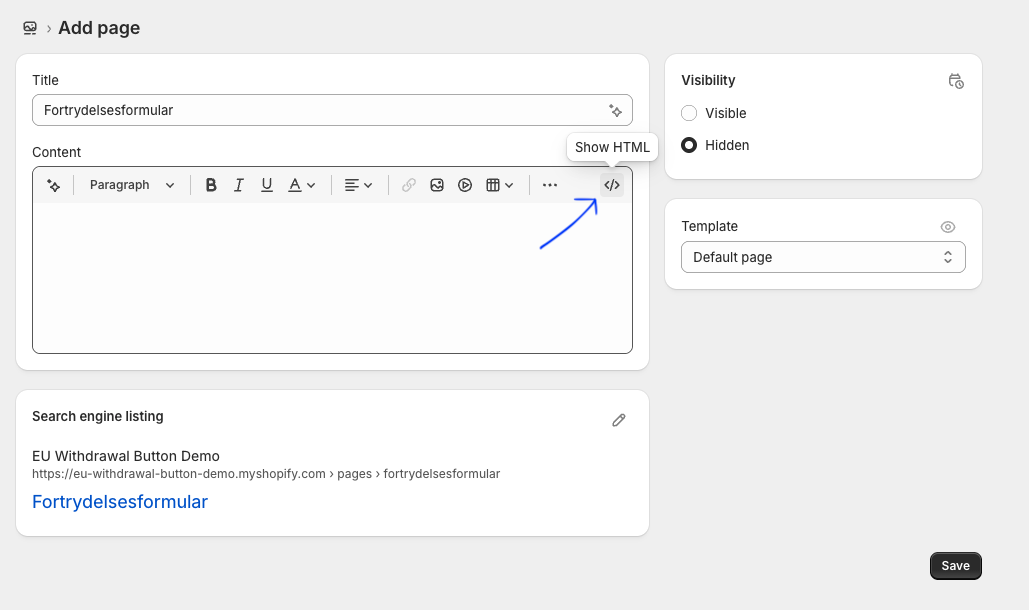
4. Switch the editor to HTML
In the page content editor, click the <> Show HTML button so you can paste
raw code.
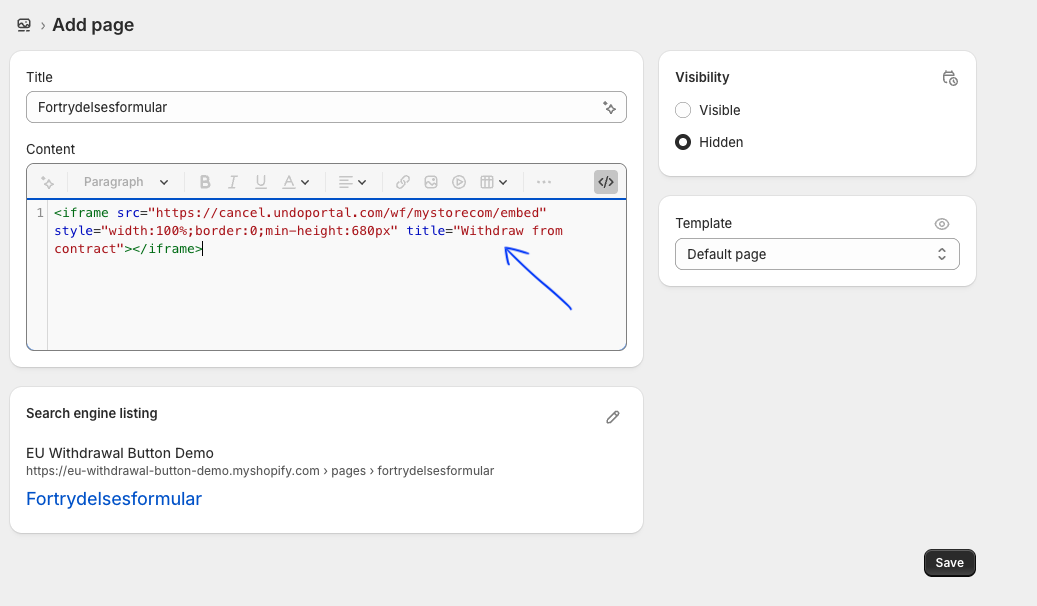
5. Paste the snippet and save
Paste the embed code you copied, then click Save. Your withdrawal form is now live.
Make the form easy to find
Add a link to the page in your footer or main menu. The directive requires the withdrawal function to be easily accessible throughout the 14-day window.
Done
Your Shopify store now has a compliant EU withdrawal form.